
Introduction
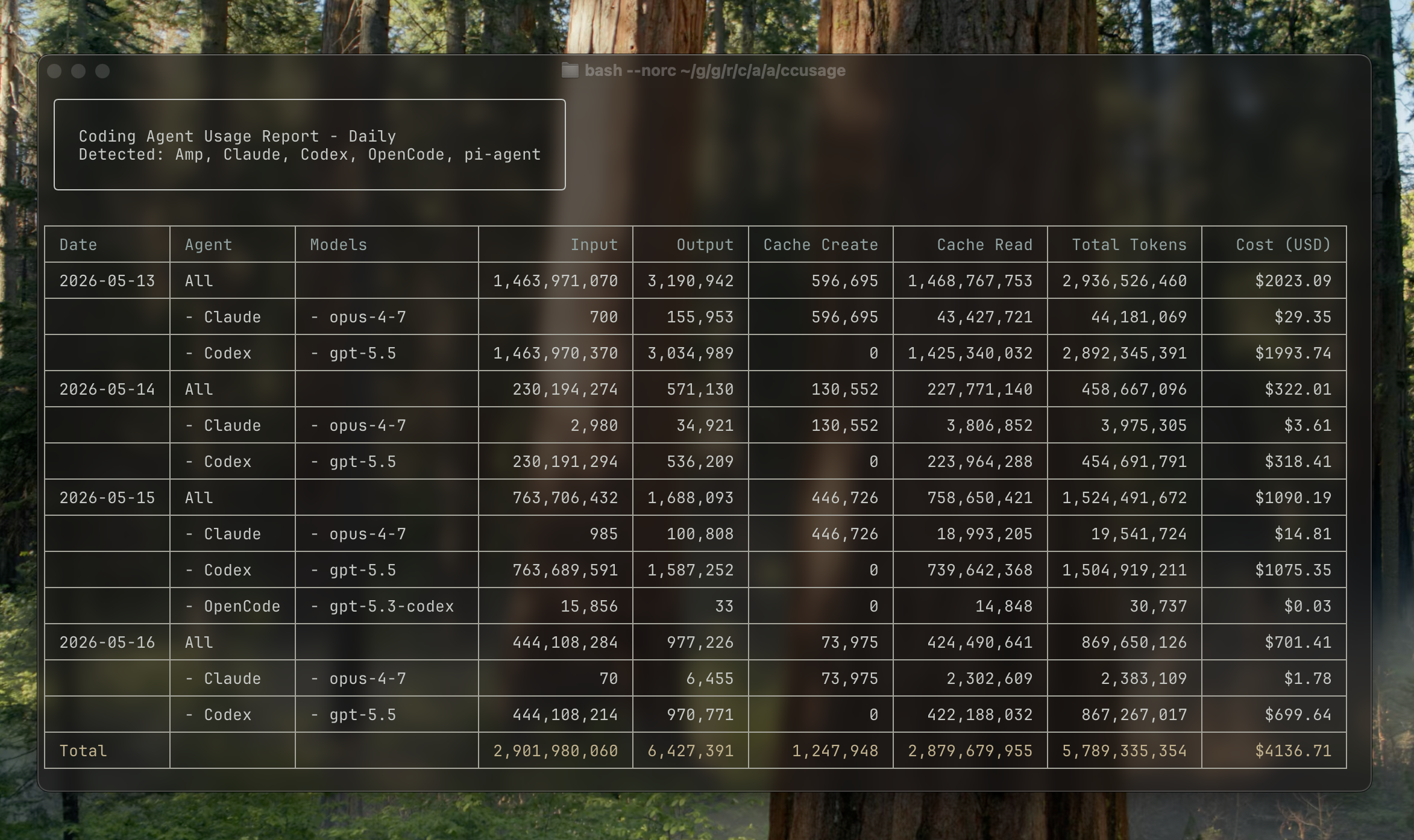
ccusage is a local CLI for understanding coding (agent) CLI token usage and estimated costs across Claude Code, Codex, OpenCode, Amp, and pi-agent.
The original “cc” came from Claude Code usage and now also fits Codex CLI usage. As OpenCode, Amp, pi-agent, and other coding (agent) CLIs became part of the same workflow, ccusage expanded into a general name for local coding CLI usage analysis.
The Problem
Modern coding (agent) CLI usage is split across several local data formats. That makes basic questions hard to answer:
- How much am I actually using each coding CLI?
- Which conversations are the most expensive?
- What would I be paying on a pay-per-use plan?
- Which projects, sessions, or weeks are driving usage?
The Solution
ccusage reads the local usage files that coding CLIs already generate and provides:
- All Sources by Default - Claude Code, Codex, OpenCode, Amp, and pi-agent in one CLI
- Usage Views - Daily, weekly, monthly, and session-based breakdowns
- Cost Analysis - Estimated costs based on token usage and model pricing
- Focused Data Source Views - Start with all detected sources, then narrow the same usage views to one source when needed
- Data Source Pages - Source-specific setup and extra features live with each supported data source
- Multiple Formats - Beautiful tables or JSON for further analysis
How It Works
- Coding CLIs generate local usage files containing usage data
- ccusage reads these files from your local machine
- Analyzes and aggregates the data by date, session, or time blocks
- Calculates estimated costs using model pricing information
- Presents results in beautiful tables or JSON format
Key Features
🚀 Ultra-Small Bundle Size
Unlike many CLI tools, ccusage pays close attention to bundle size. You can run it directly without a global install using bunx ccusage (recommended), pnpm dlx ccusage, or npx ccusage@latest.
📊 Usage Views
- All Sources (Default) - Aggregates every detected supported source
- Daily Usage - Usage aggregated by calendar date
- Weekly Usage - Usage aggregated by week with configurable start day
- Monthly Usage - Monthly summaries with trends
- Session Usage - Per-conversation analysis
💰 Cost Analysis
- Estimated costs based on token counts and model pricing
- Support for different cost calculation modes
- Model-specific pricing across supported providers
- Cache token cost calculation
Data Source Pages
Each data source page covers the details that only apply to that source, including custom directories, pricing notes, and source-specific commands.
🔧 Flexible Configuration
- JSON Configuration Files - Set defaults for all commands or customize per-command
- IDE Support - JSON Schema for autocomplete and validation
- Priority-based Settings - CLI args > local config > user config > defaults
- Environment Variables - Traditional configuration options
- Custom Date Filtering - Flexible time range selection and sorting
- Offline Mode - Cached pricing data for air-gapped environments
Data Sources
ccusage reads from local coding CLI data directories:
| Agent | ID | Default data location |
|---|---|---|
| Claude Code | claude | ~/.config/claude/projects/, ~/.claude/ |
| Codex | codex | ${CODEX_HOME:-~/.codex} |
| OpenCode | opencode | ${OPENCODE_DATA_DIR:-~/.local/share/opencode} |
| Amp | amp | ${AMP_DATA_DIR:-~/.local/share/amp} |
| pi-agent | pi | ${PI_AGENT_DIR:-~/.pi/agent/sessions} |
The tool automatically detects available data and aggregates all supported coding CLIs by default. Each source-specific environment variable can also contain comma-separated directories, which lets unified reports combine current profiles and archives.
Report Shape
Run ccusage without a source name to aggregate all detected sources:
ccusage daily
ccusage weekly
ccusage monthly
ccusage session
Add a data source namespace when you want the same report focused on one source:
ccusage claude daily
ccusage codex daily --speed fast
ccusage opencode weekly
ccusage amp session
ccusage pi monthly
Use ccusage <source> <report> only when you want to narrow a report to one source.
For Claude Code-specific setup and features, start from the Claude Code data source page.
Privacy & Security
- 100% Local - All analysis happens on your machine
- No Data Transmission - Your usage data never leaves your computer
- Read-Only - ccusage only reads files, never modifies them
- Open Source - Full transparency in how your data is processed
Limitations
Important Limitations
- Local Files Only - Only analyzes data from your current machine
- Language Model Tokens - API calls for tools like Web Search are not included
- Estimate Accuracy - Costs are estimates and may not reflect actual billing
Acknowledgments
Thanks to @milliondev for the original concept and approach to Claude Code usage analysis.
Getting Started
Ready to analyze your coding (agent) CLI usage? Start with the Getting Started Guide.